Downloading Results
This guide covers how to download and export calculation results from the HouMeerOver system for integration with municipal systems and resident communication.
Overview
Once calculations are completed, you can download results in various formats for:
- Municipal system integration
- Resident communication
- Financial reporting
- Progress tracking
Export File Formats
Standard CSV Export
The standard export includes all calculation results in CSV format. The format depends on whether login codes are enabled for your municipality:
With Login Codes:
postcode,huisnummer,toevoeging,inlogcode,subsidiebedrag
1234AB,1,,ABC123,1500.00
1234AB,2,A,1234,2100.50
Without Login Codes:
postcode,huisnummer,toevoeging,subsidiebedrag
1234AB,1,,1500.00
1234AB,2,A,2100.50
Export Columns:
- postcode: Address postal code
- huisnummer: House number
- toevoeging: Combined house letter and number addition (if any)
- inlogcode: Unique code for resident access (only if enabled for municipality)
- subsidiebedrag: Calculated subsidy amount in euros (null if calculation not completed)
Downloading from Batches
Accessing Export Files
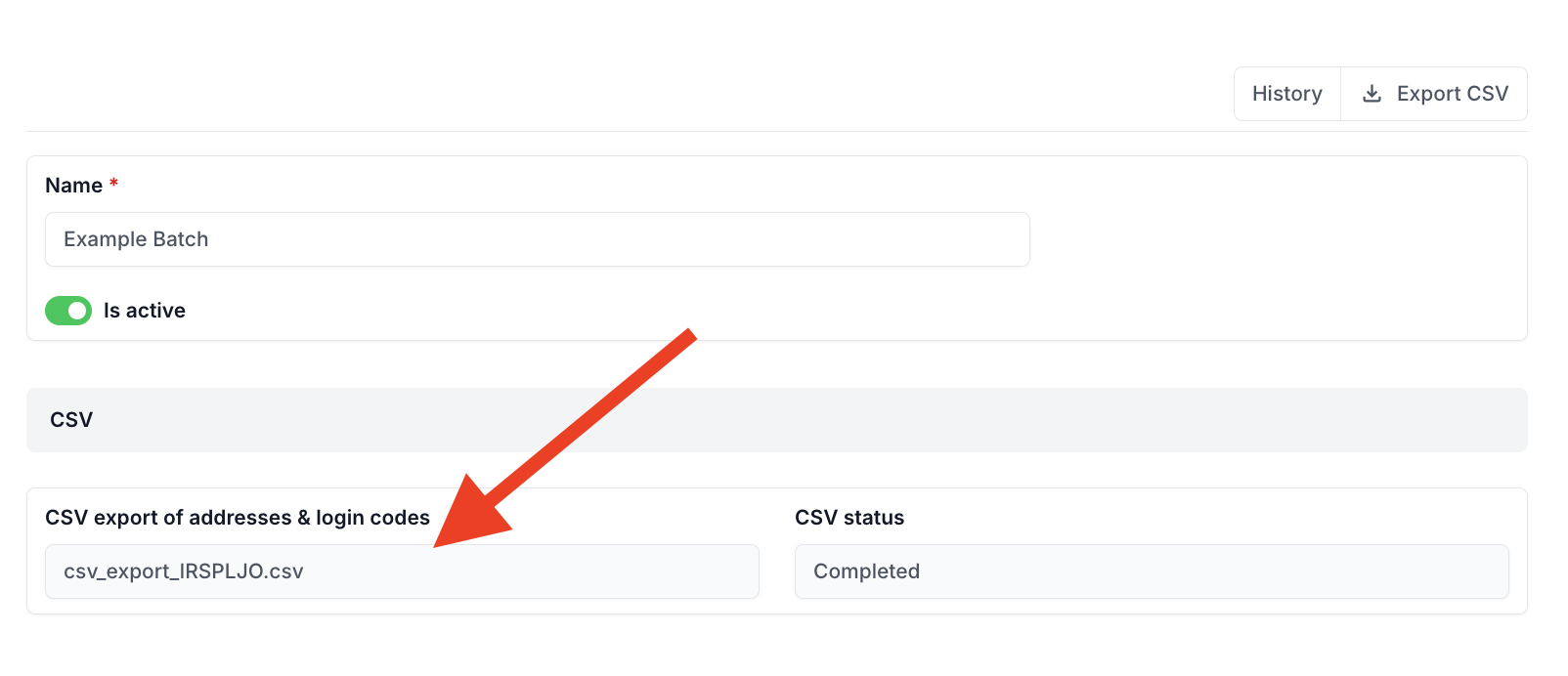
- Navigate to Batches in the admin interface
- Find your completed batch (status: "Completed")
- Look for export file links in the batch details
- Click download link to save the file
Export Availability
Export is always available regardless of batch status. The export will include:
- All household addresses that have been uploaded
- Subsidy amounts for completed calculations
- Null values for subsidy_amount where calculations haven't finished yet
Re-generating Exports
If batch status shows "Outdated":
- Click "Regenerate Export" button in batch details
- Wait for processing to complete
- Download updated file when status returns to "Completed"
Integration with Municipal Systems
For advanced integration with your municipal systems, HouMeerOver provides a Third Party Integration that allows you to:
- Retrieve calculation data programmatically
- Download calculation exports via API calls
- Configure webhooks to receive automatic notifications when calculations are completed
Learn more about API integration in the Third Party Integration documentation.
This completes the downloading results guide. For API integration, see the Third Party Integration documentation.